
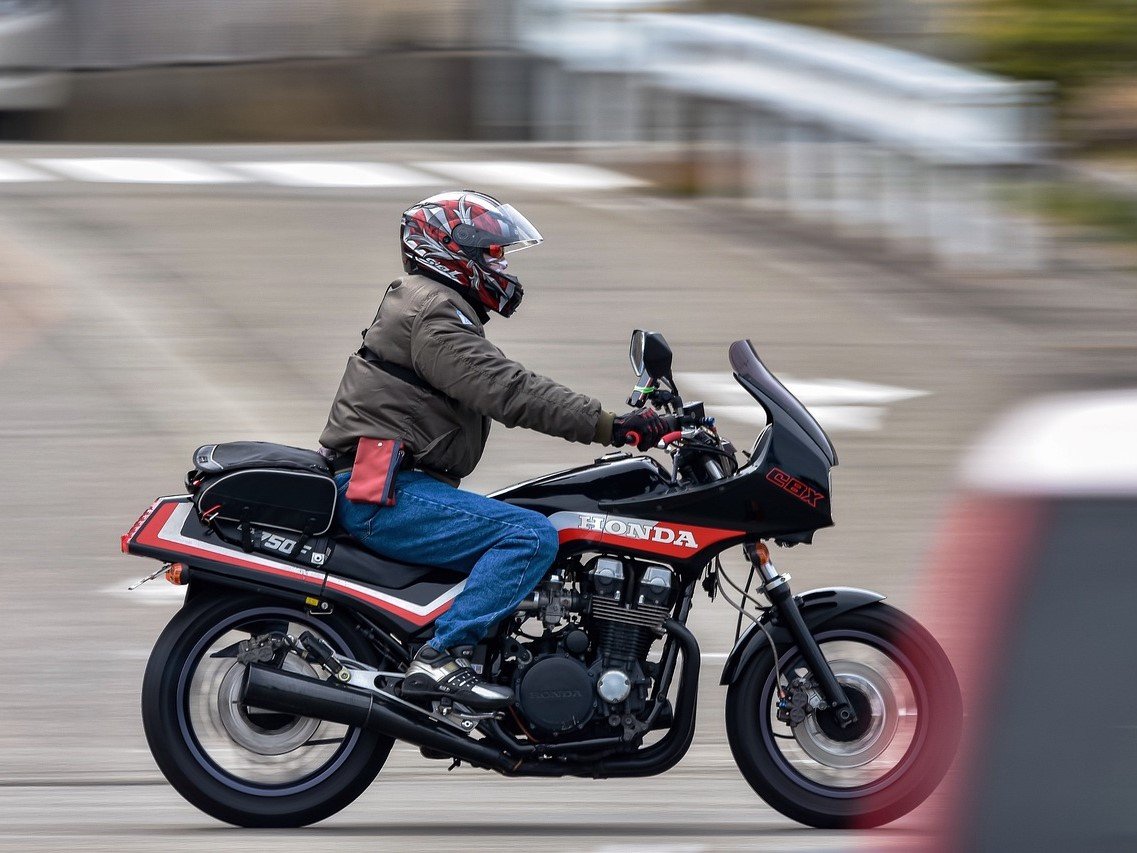
Every rider knows the thrill of customization — from engine tuning to custom paint, your bike is a rolling expression of who you are. Yet many bikes still wear that factory black seat like a missed opportunity. What if your seat could be the bold centerpiece of your build — a second signature that shouts personality at every stoplight?
Direct-to-Film (DTF) printing lets you “skin” your seat with anything: raging flames, tribal totems, a map of your favorite route, or a photo that means something. In this guide you’ll learn why DTF is a game-changer for motorcycle seats, and get a practical step-by-step workflow to go from idea to road-ready seat cover.
Why DTF Is a Revolutionary Option for Motorcycle Seat Customization
Unmatched graphic fidelity
DTF delivers full-color, high-resolution prints — far finer than embroidery or simple heat transfers. Gradients, photographs and intricate line work reproduce with impressive clarity.
Durability built for the road
Good DTF transfers are abrasion-resistant, stretch-tolerant and weather-resilient. When done correctly with the right consumables and curing, prints stand up to sun, rain, and the friction of regular riding.
Works on real seat materials
DTF workflows can be adapted for leather, PVC, microfibers and many synthetic leathers used in motorcycle seats. With optimized films and adhesive powders, the print bonds strongly and resists peeling or cracking.
Economical for one-offs and short runs
No screens, no plates — you can print single pieces or small batches affordably. That makes DTF perfect for custom builders, clubs making limited runs, or a rider who wants a unique piece without industrial minimums.
From Concept to Saddle: Step-by-Step Guide to Making Your Custom Seat
Follow these steps to transform a design idea into a durable, fitted motorcycle seat cover.
Step 1 — Design & Inspiration
- Find inspiration: Look at classic bike motifs (flames, skulls, pinstriping), modern cyberpunk aesthetics, vintage logos, or personal imagery like maps and photos. Think about how the artwork will flow with seat contours.
- Create your artwork: Use Illustrator, Photoshop, Affinity, or similar. Work at 300 DPI or higher for crisp results.
- Mirror when required: If your transfer process needs mirrored artwork, flip the image horizontally before printing.
- Export: Save as PNG (transparent background) or high-quality TIFF/PDF.
Step 2 — Print to PET Transfer Film
- Load film and inks: Use a DTF printer with textile inks (CMYK + white). For dark or colored seats, a white underbase is essential to make colors pop.
- Check print quality: Inspect the white underbase and color registration. Address any banding or nozzle issues before proceeding.
Step 3 — Powdering & Curing
- Apply hot-melt powder: While the ink is still wet, evenly sift DTF adhesive powder onto the printed areas so only the ink retains powder.
- Remove excess: Gently shake or tap off extra powder (follow powder manufacturer guidance about reuse).
- Cure the powdered film: Use a tunnel dryer or oven to melt the powder and fuse it to the ink. Visually, the powder will change from matte/granular to glossy/transparent — that’s your cue the powder has melted. Always follow the manufacturer’s specified temperature/time windows and test on scraps.
Step 4 — Heat-Press Transfer to the Seat Cover
- Prep the seat cover: Clean the cover surface and stretch it taut. Remove dust and oils — a lint roller and mild surface cleaner help.
- Position the transfer: Place the cured film print side down on the intended area, line up carefully with contours and seam lines.
- Recommended starting press settings (test first):
- Leather / PVC / synthetic leather: ~165°C (329°F), medium-high pressure, 25–30 seconds.
- These values are starting points — always run tests. Different films, powders and thicknesses change optimal settings.
- Peel method: After pressing, let the piece cool fully and perform a cold peel unless your consumable specifies hot peel. Cold peeling often yields the strongest bond for rugged use.
- Optional finish press: A short second press (5–8 seconds under a protective sheet) can improve hand feel and surface uniformity.
Step 5 — Trim, Sew & Fit
- Trim edges carefully and, if constructing a fitted cover, sew printed panels into your pattern. Maintain seam allowances and test-fit on the seat base before final stitching.
- Final assembly: Install on the bike and check for fit, flex, and alignment with surrounding components.
Choosing the Right Equipment & Consumables — The Difference Between “Nice” and “Pro-Grade”
Success depends heavily on using a reliable DTF ecosystem. Low-quality printers or off-brand consumables often mean clogged heads, muddy colors, and transfers that fail under stress.
For custom motorcycle seats — especially leather and PVC — use a printer and consumables optimized for those substrates. For riders and shops seeking reliable small-batch production, consider proven solutions that pair printers with validated inks, films and powders. For example, HueDrift offers DTF systems and consumables engineered for consistent color, strong adhesion, and better uptime — a practical option for custom shops wanting shop-quality results. Learn more at: https://huedrift.com/
Design Ideas That Work Great on Motorcycle Seats
- Classic hot-rod / skull & flame motifs for a raw, aggressive look.
- Subtle luxury: Tonal geometric patterns, debossed-look graphics, or minimalist monograms.
- Modern / cyber: Circuit textures, neon gradients, and digital camo for a futuristic vibe.
- Commemorative: GPS route art, dates, club logos, or a rider’s motto.
- Fusion builds: Combine printed panels with stitched leather or contrast piping for depth and durability.
When planning, remember seat contours and stitching: central panels and elongated designs translate best.
Care, Maintenance & Longevity Tips
- Regular cleaning: Wipe with a damp cloth; use leather conditioners on leather seats to preserve suppleness.
- Avoid harsh chemicals and aggressive scrubbing that can wear the print.
- Periodic checks: Inspect seams and transfer edges, especially after heavy riding or exposure to elements.
- Record proven settings: Keep a log of the exact parameters that worked for a given material (film batch, powder, temp/time/pressure) so you can reproduce quality across pieces.
FAQ
Q: Are DTF prints waterproof and UV resistant for motorcycle use? A: High-quality DTF prints with the correct film/powder and curing are water-resistant and, when paired with UV-stable inks and proper protection, tolerate sun exposure well. Regular maintenance and suitable leather care extend longevity.
Q: Will the printed area crack or peel on curved seats? A: Proper surface prep, correct curing, and matching the transfer system to the material prevent cracking. Flexible adhesives and correct press settings are crucial for curved or contoured panels.
Q: Can I do this at home, or do I need a professional shop? A: DIY is possible with desktop DTF systems and careful testing, but working with leather and complex curves benefits from professional equipment and experience. Many builders partner with local print shops for the printing step and handle sewing/installation themselves.